



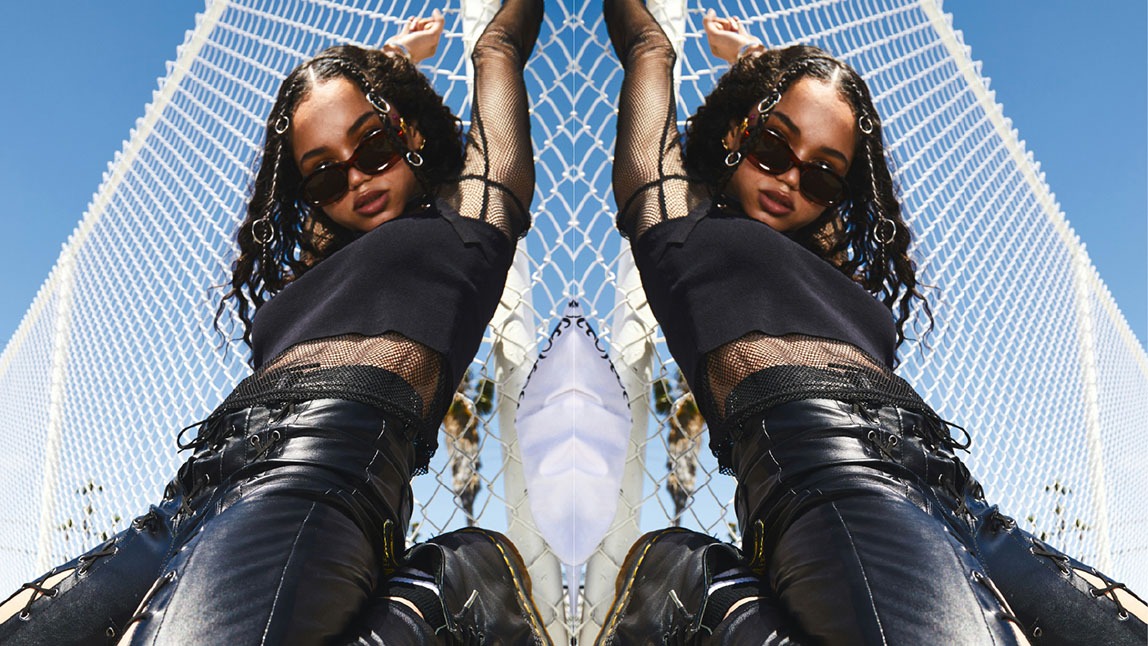
In the world of digital editing, simple tools often create the most powerful effects. One of these tools is the ability to Flip Image, a feature widely used in photography, graphic design, social media content creation, and professional editing. Whether you are correcting orientation, creating symmetry, or producing artistic effects, flipping an image can completely change how it is perceived.
This article explores what image flipping is, how it works, its different types, and why it has become an essential part of modern visual editing.
What Does Flip Image Mean?
The term Flip Image refers to the process of reversing an image along a specific axis. This means the image is mirrored either horizontally or vertically, changing its orientation while keeping the original content intact.
Unlike rotation, which turns an image around a central point, flipping creates a mirror-like effect. For example, text in a flipped image may appear backward, while objects switch their left-right or top-bottom positions.
Types of Image Flipping
There are two main ways to Flip Image content, each serving different creative and technical purposes.
1. Horizontal Flip
A horizontal flip reverses the image from left to right. This is the most commonly used flipping method.
- The left side becomes the right side
- The right side becomes the left side
- Useful for selfies and portrait corrections
- Often used to create mirror effects in design
2. Vertical Flip
A vertical flip turns the image upside down.
- The top becomes the bottom
- The bottom becomes the top
- Used for reflections in water or abstract designs
- Helpful in artistic compositions
Why Do People Flip Images?
Flipping images is not just a visual trick—it serves practical and creative purposes.
1. Correcting Orientation
Sometimes photos appear reversed due to camera settings or selfie modes. Using Flip Image tools helps restore natural viewing direction.
2. Improving Aesthetics
Designers often flip images to improve balance and composition. A flipped image may look more visually appealing in certain layouts.
3. Creating Symmetry
Symmetry is powerful in design. Flipping an image allows creators to duplicate mirrored elements for logos, backgrounds, or patterns.
4. Social Media Content
Influencers and content creators use flipping to enhance posts, adjust selfies, or create unique visual effects that stand out.
How Flip Image Tools Work
Modern editing tools make image flipping extremely simple. Most software and apps include a one-click option.
The process generally involves:
- Uploading or opening the image
- Selecting the flip option
- Choosing horizontal or vertical flip
- Saving the edited image
This feature is available in basic tools like mobile photo editors as well as advanced software such as Photoshop and online design platforms.
Creative Uses of Flip Image Editing
Flipping images is widely used in creative industries for more than just correction.
Mirror Art Effects
Artists create surreal mirror worlds by flipping landscapes or portraits.
Product Design Mockups
Designers flip product images to view packaging from different angles or simulate reflection.
Advertising Visuals
Marketers use flipped images to create attention-grabbing layouts in ads and banners.
Photography Enhancement
Photographers sometimes flip images to improve composition or storytelling impact.
Common Mistakes to Avoid
While Flip Image tools are easy to use, improper use can affect quality.
- Flipping images with readable text can make them confusing
- Overusing flips may distort natural perspective
- Not checking alignment after flipping can reduce visual quality
Always review the final result before publishing or sharing.
Final Thoughts
The ability to Flip Image content is a simple yet powerful feature in digital editing. From correcting orientation to creating artistic masterpieces, it plays an important role in photography, design, and online media.
Whether you are a beginner or a professional editor, mastering this tool can significantly improve your visual content and help you create more engaging and creative images.
